A RAG App for Old School Runescape: a personal assistant for a childhood game
Building a Retrieval-Augmented Generation app as a personal assistant as I rediscover my favorite game from childhood: Old School RuneScape.
The idea
Old School RuneScape has two decades of accumulated wikis, quest guides, drop tables, and community meta. General-purpose LLMs know the broad strokes but hallucinate confidently on the specifics that matter: exact stat requirements, optimal training routes, item prices, quest prerequisites. The goal is a locally-hosted RAG chatbot that answers OSRS questions backed by the OSRS Wiki, with every answer citing the page it pulled from. Beyond being a fun side project, it doubles as hands-on practice with RAG fundamentals I can carry into my day job as a Data Engineer.
How it works
Two pipelines: a one-time ingestion job and a per-query retrieval loop.
Ingestion pulls page content from the OSRS Wiki through its
public MediaWiki API (no scraping; they expose a clean endpoint),
chunks each page into roughly 400-token segments with a 50-token
overlap so meaning doesn't get cut at boundaries, embeds the chunks
with sentence-transformers, and stores them in a local
Chroma vector DB along with source metadata: page title, URL, and
category (item or quest). The first cut covers items and quests
only, around 2,000 to 3,000 pages, before expanding.
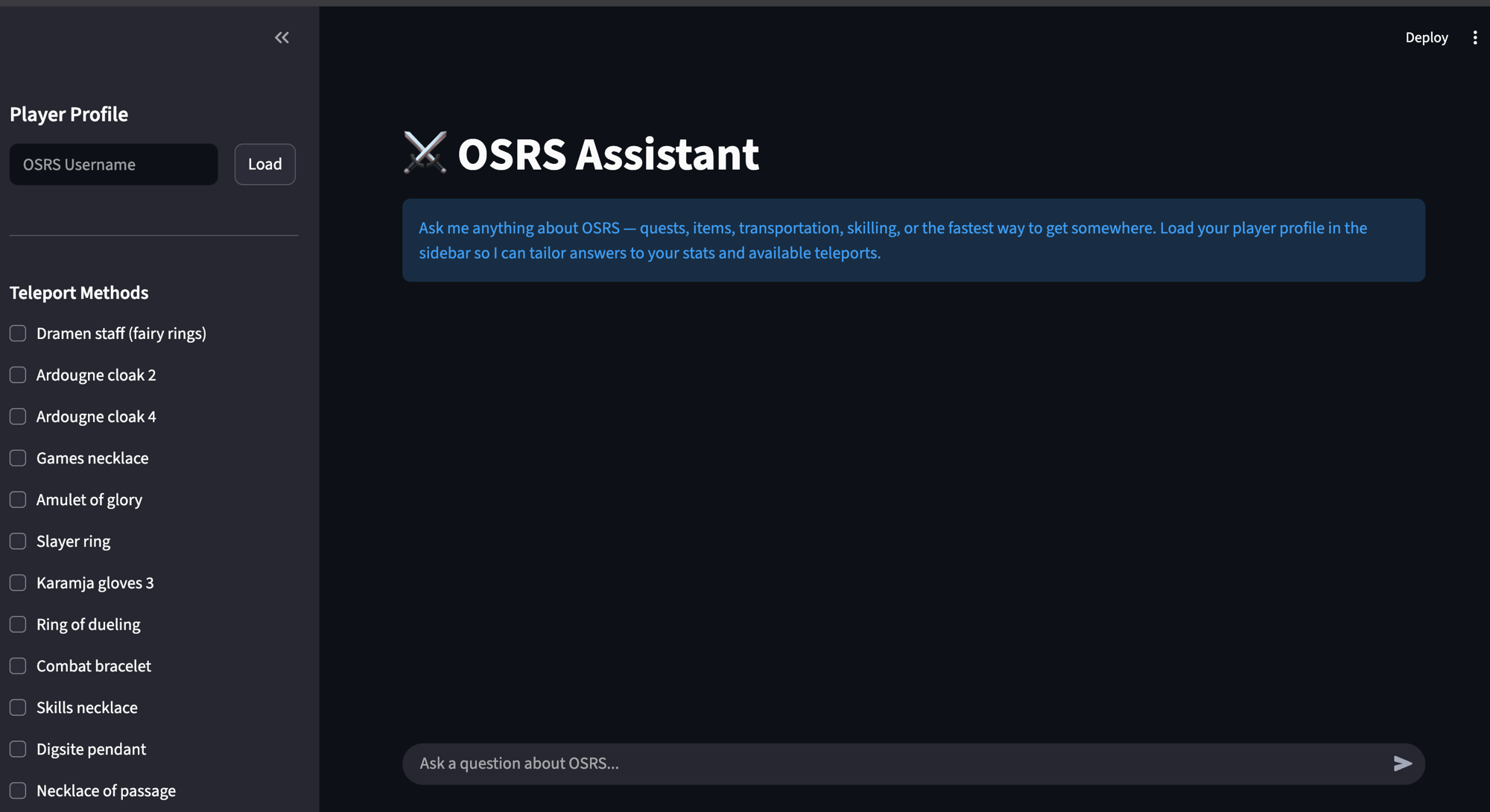
Query embeds the user's question, runs a similarity search against Chroma to pull the top few relevant chunks, assembles a prompt from a system message, the retrieved context, chat history, and the question itself, and sends the whole thing to a local Ollama LLM. The response renders in Streamlit with a "Sources" expander that lists the wiki pages the answer drew from.
Stack
- LLM: Ollama running
llama3locally at first, then moved to Mistral AI. Noticed performance improvements with the latter in retrieval speed and thoroughness of responses. This is becausellama3is open weight, so the computation was running on my local machine (which is nothing special in terms of computing capacity); once switched over to using Mistral, the compute shifted to Mistral's datacenter GPUs, an obvious improvement. The improvement in response quality is likely due to the fact that the Mistral model has about 20B parameters compared to 8B forllama3, and my conjecture is Mistral's training data is superior. - Embeddings:
sentence-transformers, local and free - Vector DB: Chroma, pure-Python and zero setup
- RAG framework: LlamaIndex, less boilerplate than rolling my own
- UI: Streamlit, Python-only and fast to iterate
- Language: Python 3.11+
Constraints
To stay on the free tier, the chatbot is slower than it could be with more powerful models. Furthermore, the wiki I'm pulling from has tens of thousands of pages, and I don't want to embed every single one. The challenge has been knowing which broad categories of pages to embed so the app stays performant and isn't overloaded with context. This is a work in progress; the implementation has largely been trial and error.
Anecdotes
I used my knowledge of the game to iteratively improve the way the RAG app searches via prompt engineering - providing specialized instructions to the model upon each request. For example, it first suggested I needed 15 minutes of real time to walk to a town from a teleportation spot, whereas in reality it takes about 2 minutes or so. Consequently, I researched the game mechanics to bound these time estimates to reality: to move from one space to another is a "tick", and I included Game Mechanics in the restricted list of Categories that I ingested for the app.
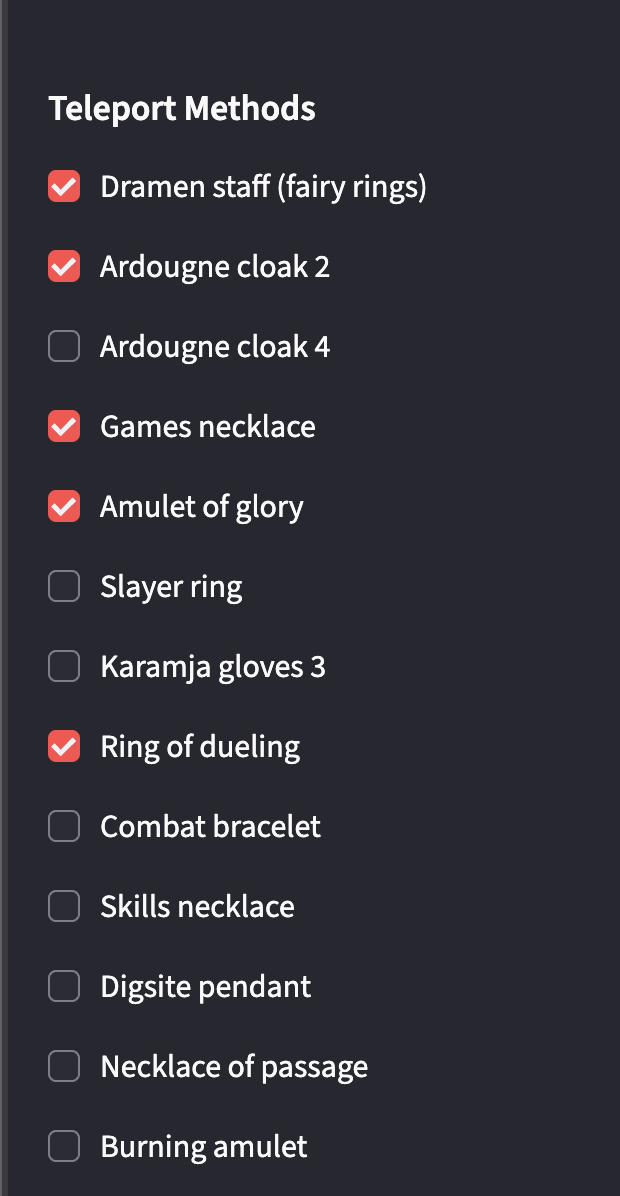
I also had to work to enforce the queries to use the app as intended. On the side of the chat, there is a check-off list of items that the player has, which is intended to facilitate the suggestion of teleportation options for the player. At first, this list was not being taken into account.
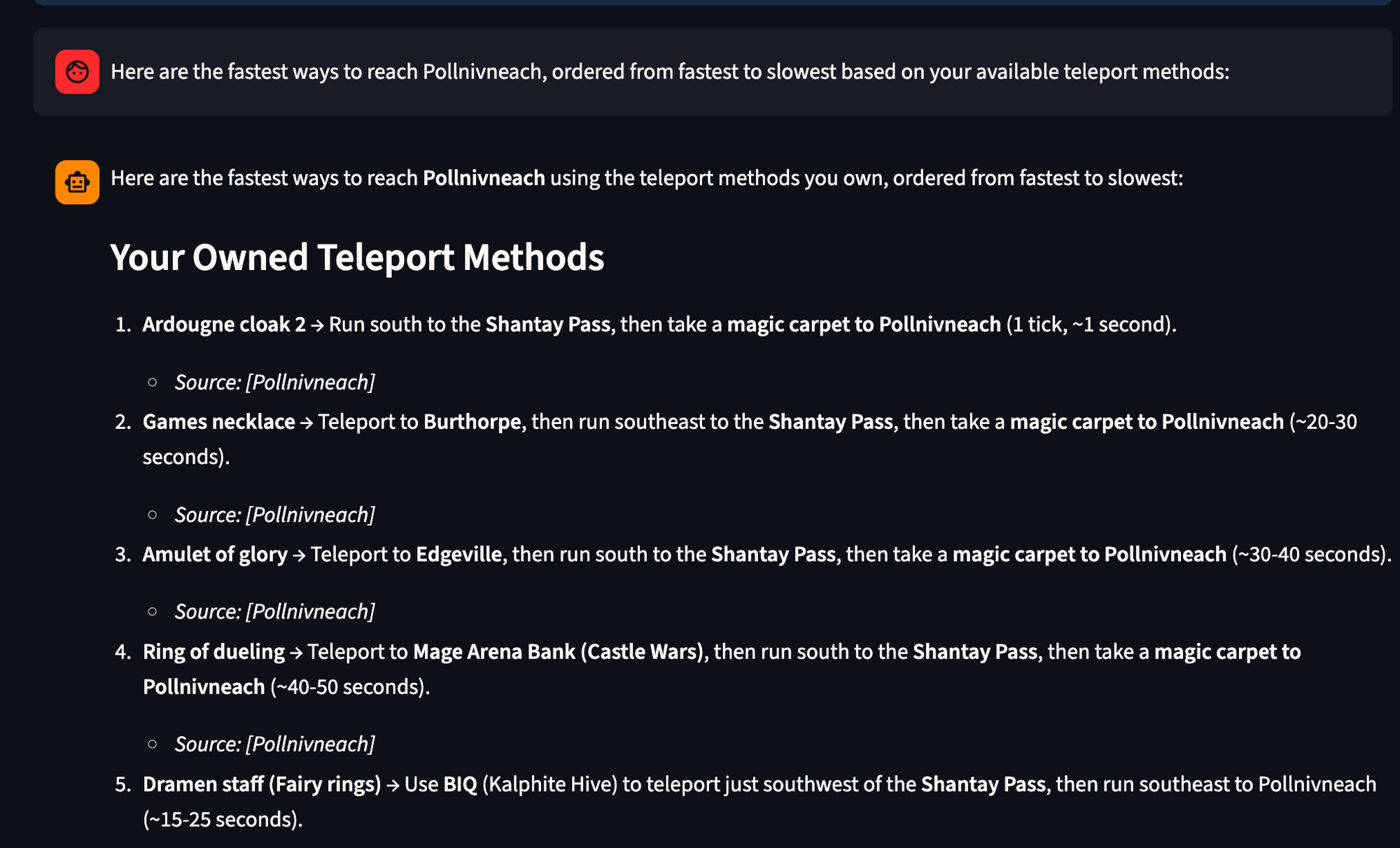
After tuning the retrieval to actually consult the checklist, the same kind of question now returns a list filtered to teleports I own, with timing estimates grounded in the wiki:
Code
Source on GitHub: github.com/rceid/osrs_rag.
Try it yourself
The repo runs locally with Python 3.11+. The one thing you'll need to bring is a Mistral API key: make a free account at console.mistral.ai and generate a key. The rough steps once you've cloned the repo:
- Create a virtual environment:
python3 -m venv venv - Activate it:
source venv/bin/activate - Install dependencies:
pip install -r requirements.txt - Create a
.envfile at the project root withMISTRAL_API_KEY=your_key_here - Launch the app:
streamlit run app.py
The README in the repo has the same steps plus a couple of extras (ingestion of the wiki data on first run, etc.).
Return to main